Faceless shorts for Cursor, Claude, Zapier, and any agent.
One API key unlocks OpenClaw skills, MCP tools, a versioned REST API, and signed webhooks. Create the script, voice, visuals, and captions — then export or publish without babysitting the dashboard. Step-by-step: generate faceless TikToks from Cursor with MCP.
Four calls, from prompt to posted.
The same flow from Cursor, Claude Desktop, Zapier or your own code.
- 1
create_shortOne prompt in. Viibeo writes the script, records the voice, makes the visuals and burns the captions.
webhook · generation.completed - 2
get_generation_statusPoll the job, or skip polling and wait for the webhook. Failed jobs refund their credits.
- 3
start_exportRender the MP4. Clean on Lite and above, watermarked on the free plan.
webhook · export.ready - 4
publish_videoPost the same cut to a connected TikTok, Instagram or YouTube account.
webhook · publish.completed
Connect in one config
Create a vii_ key under Settings → Developers, then add this to Cursor or Claude Desktop.
{
  "mcpServers": {
    "viibeo": {
      "url": "https://www.viibeo.com/api/mcp",
      "headers": {
        "Authorization": "Bearer vii_YOUR_API_KEY"
      }
    }
  }
}
MCP tools
create_shortCreate and start a faceless/standard AI short. Returns jobId + videoId — poll get_generation_status until COMPLETED.get_generation_statusPoll a generation job created by create_short.list_my_videosList the authenticated user's videos (paginated).get_videoGet video details, scene summary, and beat sheet for agent QA.get_my_creditsGet credit balance and subscription tier.start_exportStart the MP4 export of a finished video. Poll get_render_status for the download URL.get_render_statusPoll an MP4 export started by start_export; returns outputUrl when ready.list_autopilot_seriesList Autopilot series (scheduled content projects).list_ugc_creatorsList AI creators for UGC ads (library + the user's saved avatars), plus the allowed durations and motions. Call before create_ugc_ad.create_ugc_adCreate a UGC creator ad: an AI creator talks about the product to camera (one take, lip sync, captions). Costs 20 credits for 10s, 30 for 15s. Returns jobId + videoId; poll get_generation_status (usually 5-10 min).find_viral_videosSearch viral short videos that beat their niche's usual views (TikTok breakouts, refreshed daily). Use it to find a proven structure, then remix_video to make an original version. Returns ids for remix_video.remix_videoMake an original short from a viral video found with find_viral_videos. Keeps its hook type, beats and pacing; every word and fact is new. Spends credits like create_short. Poll get_generation_status.suggest_ideasSuggest faceless short ideas for a niche (hook + angle). Use before create_short.publish_videoPublish a finished video to connected social platforms (TikTok / Instagram / YouTube).create_autopilot_seriesCreate an Autopilot series that generates + schedules faceless shorts. Use deliveryMode "hold" so a human can pull a post during its 24h window.
How to use Viibeo in OpenClaw
OpenClaw agents read a SKILL.md that teaches create → poll/webhook → export → publish over the Agent REST API. Same vii_ key as MCP.
Get an API key
Dashboard → Settings → Developers. Copy a key that starts with
Open API keysvii_. You need credits on the account (Free exports may be watermarked).Install the skill
From ClawHub once published, or load the public skill file. Skill name:
viibeo.# After the skill is on ClawHub: openclaw skills install @OWNER/viibeo # Or load the published SKILL.md locally / from URL: # https://www.viibeo.com/skills/viibeo/SKILL.md
Full skill: /skills/viibeo/SKILL.md · endpoint reference: rest-api.md.
Set the env var
OpenClaw looks for
VIIBEO_API_KEY. Always callhttps://www.viibeo.com(apex redirects can drop Authorization).export VIIBEO_API_KEY="vii_YOUR_API_KEY" # Optional override (default is fine): # export VIIBEO_BASE_URL="https://www.viibeo.com"
Ask your agent
Give a concrete niche prompt. The skill will check credits, create the short, wait for completion, then export (and optionally publish if socials are connected).
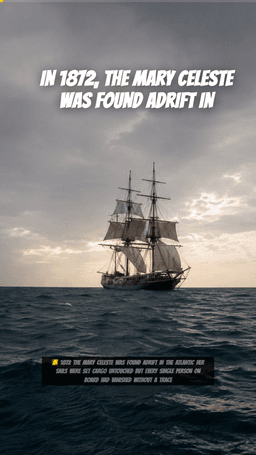
Make a 15s faceless scary-facts short about ships that vanished,
then export the MP4 when generation completes.
- Prefer webhooks (
generation.completed,export.ready) over tight polling. - First tests:
15sor30s,AI Images. - Never paste the full API key into chat logs.
- Prefer webhooks (
Versioned HTTP for scripts and Zapier
Same capabilities as MCP. Base URL: https://www.viibeo.com/api/v1. Auth: Authorization: Bearer vii_…. Schema: /api/v1/openapi.json.
- GET
/creditsBalance + plan - GET
/videosList videos - POST
/videosCreate a faceless short - GET
/ugc/creatorsUGC creators - POST
/ugcCreate a UGC ad - GET
/videos/{id}Video details - GET
/jobs/{id}Generation status - POST
/exportsStart MP4 export - GET
/exports/{id}Render status - POST
/publishPost to socials - GET
/autopilot/seriesList series - POST
/autopilot/seriesCreate series - POST
/ideasSuggest niches - GET/POST
/webhooksManage endpoints
Check credits
curl "https://www.viibeo.com/api/v1/credits" \
  -H "Authorization: Bearer vii_YOUR_API_KEY"
Create a short
curl "https://www.viibeo.com/api/v1/videos" \
  -H "Authorization: Bearer vii_YOUR_API_KEY" \
  -H "Content-Type: application/json" \
  -d '{
    "prompt": "True crime: three facts about the 1890s poison ring",
    "duration": "30s",
    "type": "Faceless"
  }'
Signed pushes when jobs finish
Skip polling. Add an HTTPS endpoint under Settings → Developers (or POST /api/v1/webhooks). Verify X-Viibeo-Signature as HMAC-SHA256(secret, t + "." + rawBody); header format t=…,v1=….
generation.completedGeneration completedgeneration.failedGeneration failedexport.readyExport readyexport.failedExport failedpublish.completedPublish completed
Example payload
{
  "id": "evt_…",
  "type": "export.ready",
  "createdAt": "2026-09-03T12:00:00.000Z",
  "data": {
    "renderJobId": "…",
    "videoId": "…",
    "outputUrl": "https://…/out.mp4",
    "status": "COMPLETED"
  }
}
Create → ready → export → publish
Create
create_shortorPOST /videoswith a niche promptWait for ready
Prefer
generation.completed— or poll job statusExport
Start export → wait for
export.readyPublish
publish_video/POST /publish, or Autopilot for daily cadence
Machine-readable facts: /llms.txt, /llms-full.txt. OpenAPI: /api/v1/openapi.json. Skill: /skills/viibeo/SKILL.md.
Agent API FAQ
OpenClaw, MCP, REST, webhooks, keys, and what agents can create.
What is the Viibeo MCP endpoint?
HTTPS JSON-RPC at https://www.viibeo.com/api/mcp. Authenticate with Authorization: Bearer vii_… from Settings → Developers. Use the www host so Authorization is not dropped on redirect.
Is there a REST API?
Yes. https://www.viibeo.com/api/v1 mirrors the MCP tools (faceless shorts, UGC ads, jobs, exports, publish, Autopilot, webhooks). OpenAPI: /api/v1/openapi.json. Same Bearer API key.
Do you support webhooks?
Yes. Configure HTTPS endpoints under Settings → Developers (or POST /api/v1/webhooks). Events: generation.completed, generation.failed, export.ready, export.failed, publish.completed. Verify X-Viibeo-Signature (HMAC-SHA256 of t.rawBody).
Can an agent make UGC ads?
Yes. list_ugc_creators (or GET /api/v1/ugc/creators) returns the AI creators, then create_ugc_ad (POST /api/v1/ugc) with a creatorId and the product. An AI creator talks about it to camera, lip-synced, with captions: 20 credits for 10 s, 30 for 15 s.
What happens if my agent retries a request?
Send an Idempotency-Key header (or idempotency_key on MCP write tools). A retry with the same key returns the first result instead of creating or charging twice; keys last 24 hours.
Can agents auto-post to TikTok or Instagram?
Yes via publish_video (MCP) or POST /api/v1/publish when social accounts are connected, or Autopilot series on Starter and above. TikTok includes a creator review step before the post goes live.
Is there a skill file agents can load?
Yes. OpenClaw/ClawHub-ready: https://www.viibeo.com/skills/viibeo/SKILL.md. Cursor/Claude: /skills/viibeo-faceless-shorts/SKILL.md. Also /llms.txt and /llms-full.txt.
How do I install Viibeo on OpenClaw?
Install the ClawHub skill (name: viibeo) once published, or load https://www.viibeo.com/skills/viibeo/SKILL.md. Set VIIBEO_API_KEY from Settings → Developers, then call https://www.viibeo.com/api/v1 (prefer www so Authorization is not dropped).
Which plan do I need?
The Agent API, MCP and webhooks start on Lite. Starter and above adds Autopilot auto-post. Free accounts can try everything in the dashboard first.
Are there API rate limits?
Yes, a soft daily ceiling so polling cannot blow up cost: Lite 500, Starter 2,000, Pro 5,000, Agency 10,000 requests / 24h, reported in X-RateLimit-* headers. Prefer webhooks over polling. The dashboard stays available if you hit the cap.









Your first video is minutes away.
Start from a prompt, a link or a product photo. Your first video is free; clean exports start on Lite at €22 a month, or €17.50 billed yearly.
No card needed. Cancel anytime.